LensTether
A downloadable app for Windows
Put the phone you already own to work. LensTether brings its camera to your Windows PC over a USB cable, ready to select in OBS or a compatible webcam app.
$10, one-time purchase. Includes the Windows companion and Android phone app. No LensTether account or subscription is needed.
A camera connection you control
- Local USB video. Camera use works without an internet connection. LensTether has no cloud upload, analytics or built-in recording.
- Pair, then start. Pair with the code on your phone. The camera stays off until you choose Start Camera.
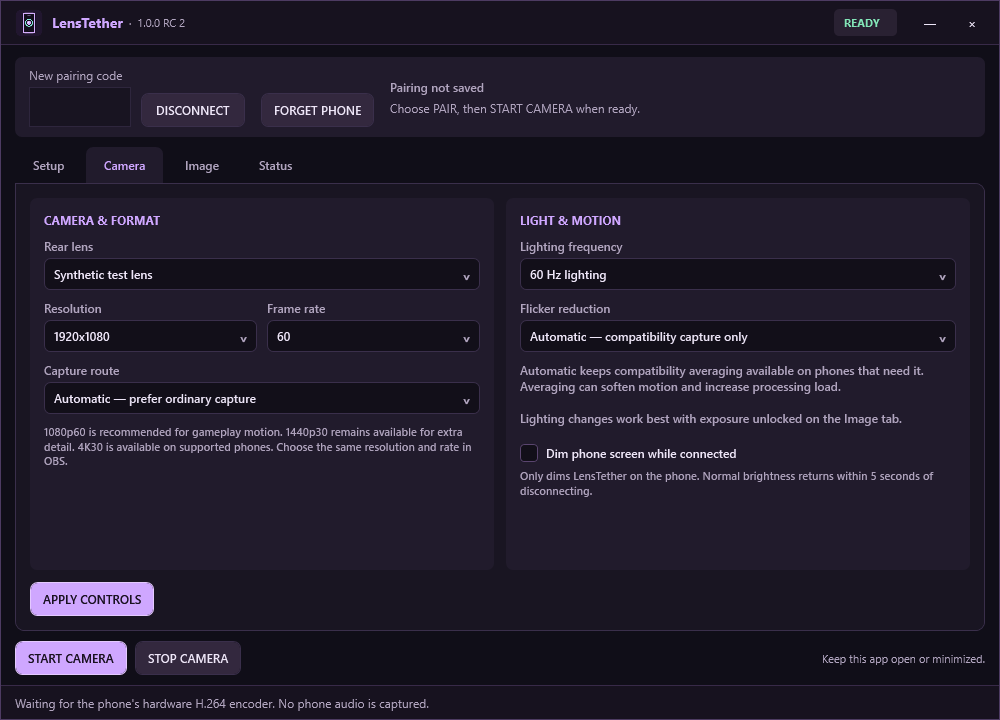
- Choose your picture. Up to 1080p60, with 1440p30 and 4K30 on phones that support the matching camera and encoder modes.
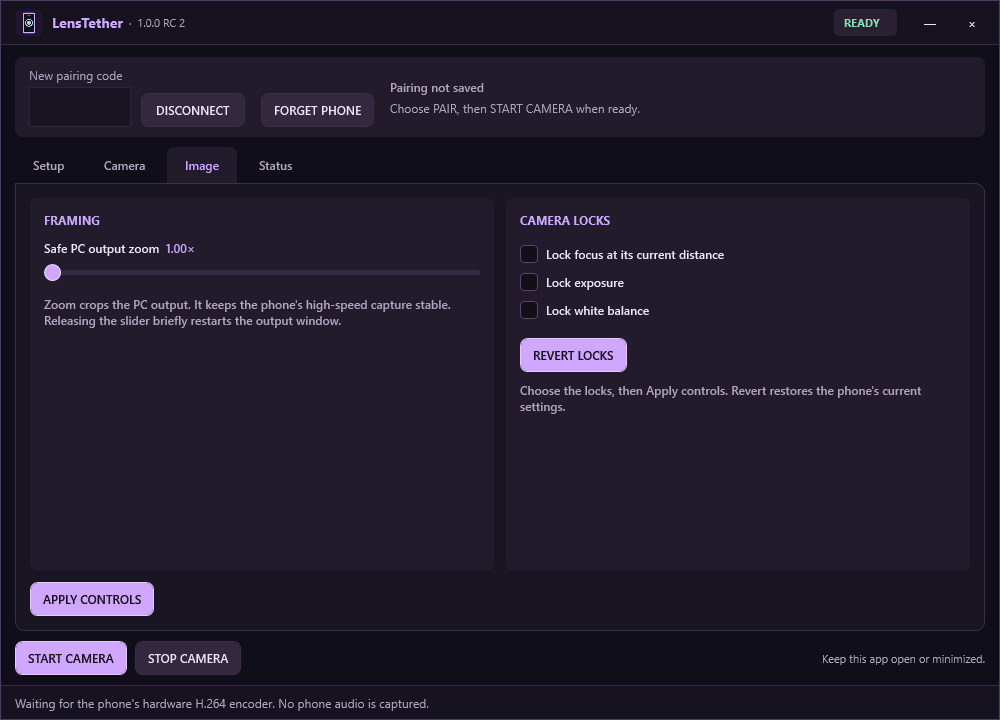
- Adjust from your PC. Choose available camera modes, crop with zoom, and use focus, exposure and white-balance locks where the phone supports them.
- Dim the phone screen. Optional dimming affects only the LensTether window. Normal brightness returns when you leave the phone app or disconnect.
- Guided setup and removal. The download includes setup help and Uninstall.exe to handle the app's files and owned helpers.
What you need
- A 64-bit x64 Windows PC and an Android 10 or newer phone with a compatible camera and H.264 encoder.
- A USB cable that carries data. USB debugging must be enabled and authorized for your PC; the setup guide walks you through it.
- The phone unlocked, with LensTether visible while the camera is running.
Both apps are included in the download. The PC companion installs the bundled Android app over USB; no Play Store download is required. No separate .NET or Android Studio installation is needed. Some phones require their manufacturer's Windows USB driver.
From phone to OBS
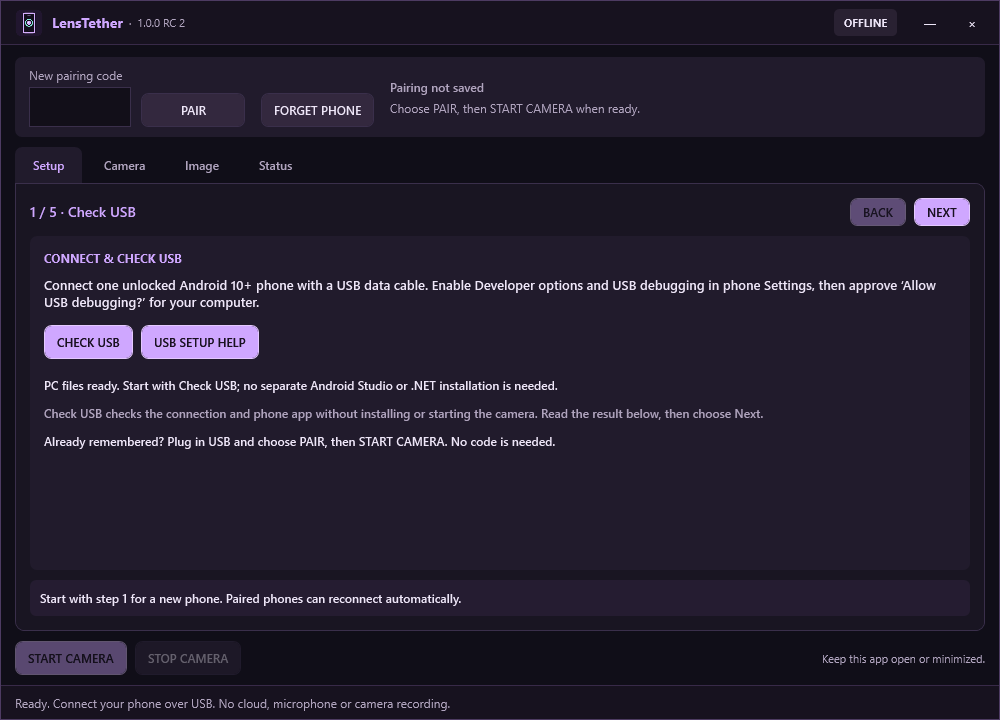
- Extract the complete ZIP and open LensTether.exe.
- Follow the Setup tab to connect your phone, install the phone app and allow Camera access.
- Enter the phone's code and choose Pair, then Start Camera.
- In OBS, add a Video Capture Device source and choose LensTether.
Start with 1080p60 when your phone offers it, or use 30 fps if needed. A separate output-window mode is also available for OBS Window Capture.
Installation & DCS Setup Video.
Before you buy
Windows + Android, connected by USB. No iPhone, macOS, Linux or Wi-Fi mode. LensTether carries video only; it does not capture your phone's microphone.
Available modes and performance depend on your phone, PC and receiving app. There is no 4K60 mode. LensTether can supply a camera feed to a compatible tracking app, but it does not include head-tracking software.
The Windows executables are currently unsigned, so Windows may show a warning or block them. Report a block rather than disabling your security protections.
Privacy and removal
Video travels locally over USB. OBS or another receiving app controls any recording or broadcasting you enable there. LensTether keeps pairing/settings and numeric diagnostics locally on your PC.
To remove LensTether, close apps using the webcam and run the included Uninstall.exe. Removing the Android app is optional. Updating does not require uninstalling first.
Questions or problems?
Leave a comment on this itch.io page. For a problem report, include your LensTether version, phone model, Android and Windows versions, what you tried, and any error message. Comments are public: leave out pairing codes, device serial numbers and private images.
Purchase
In order to download this app you must purchase it at or above the minimum price of $10 USD. You will get access to the following files:
Leave a comment
Log in with itch.io to leave a comment.